
The negative keyword tool
for Google and Bing Ads
QueryGuard watches the search terms your campaigns actually pay for, flags the ones that spend without converting, and turns them into negative keywords in your account, with one click.
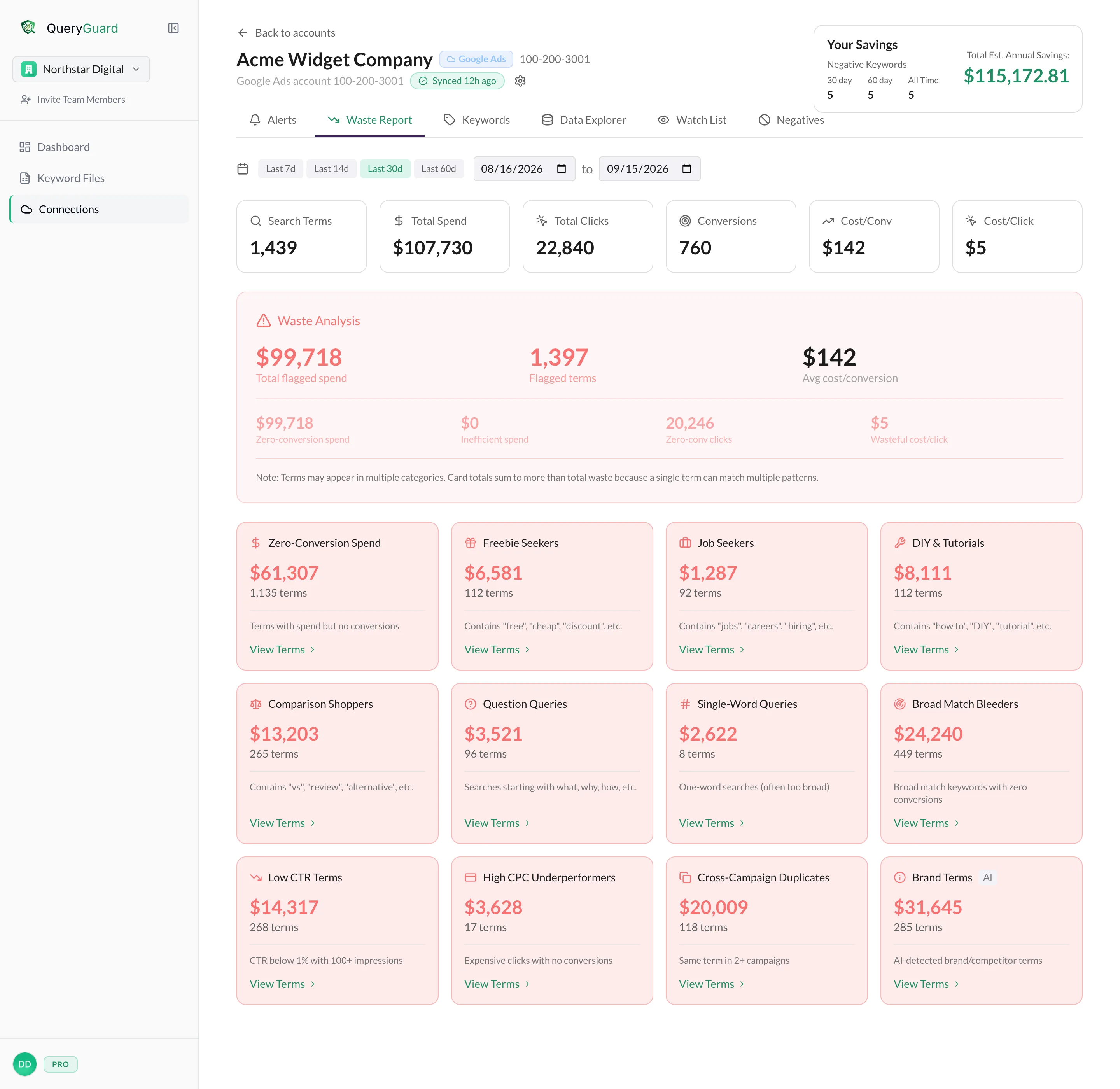
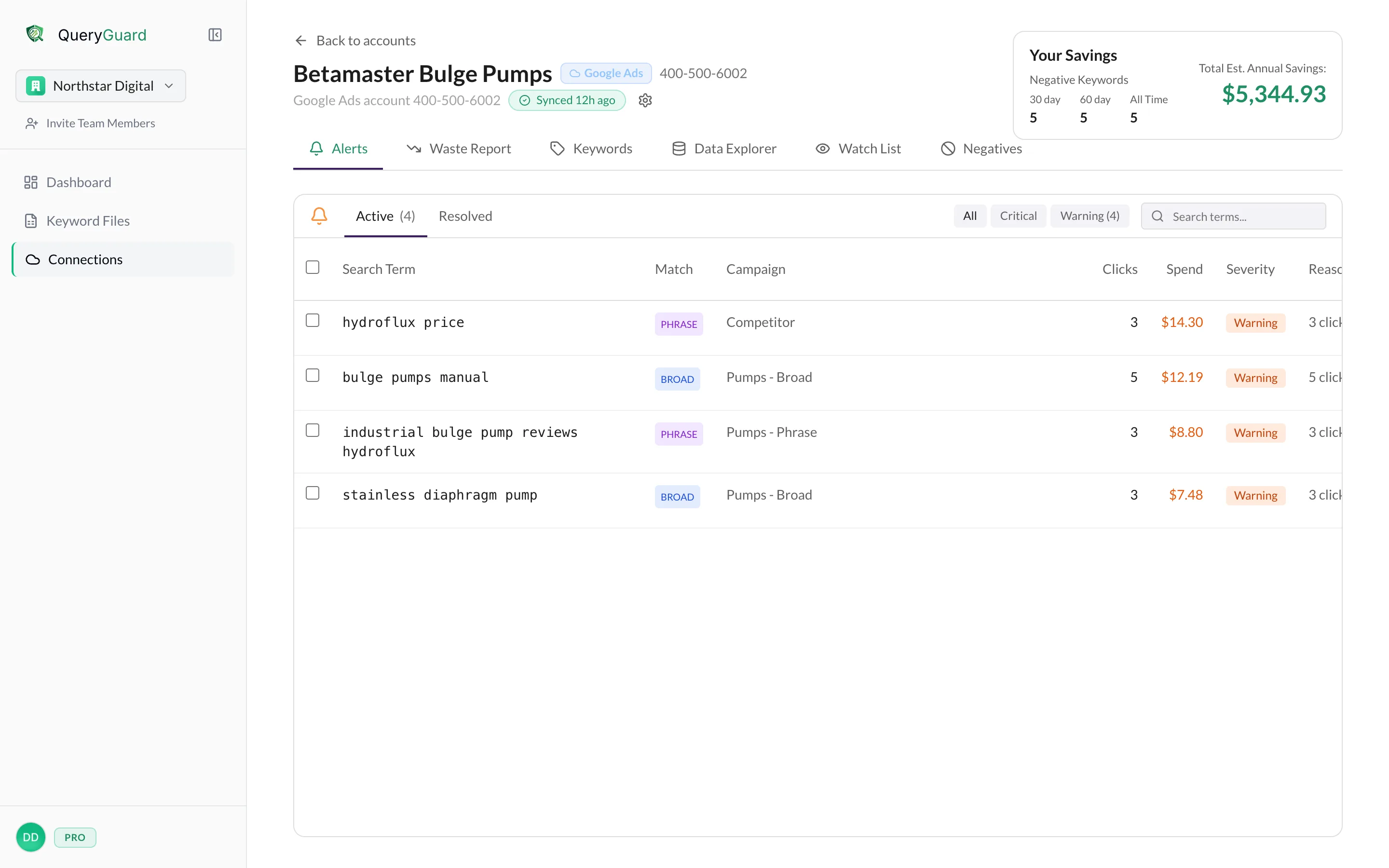
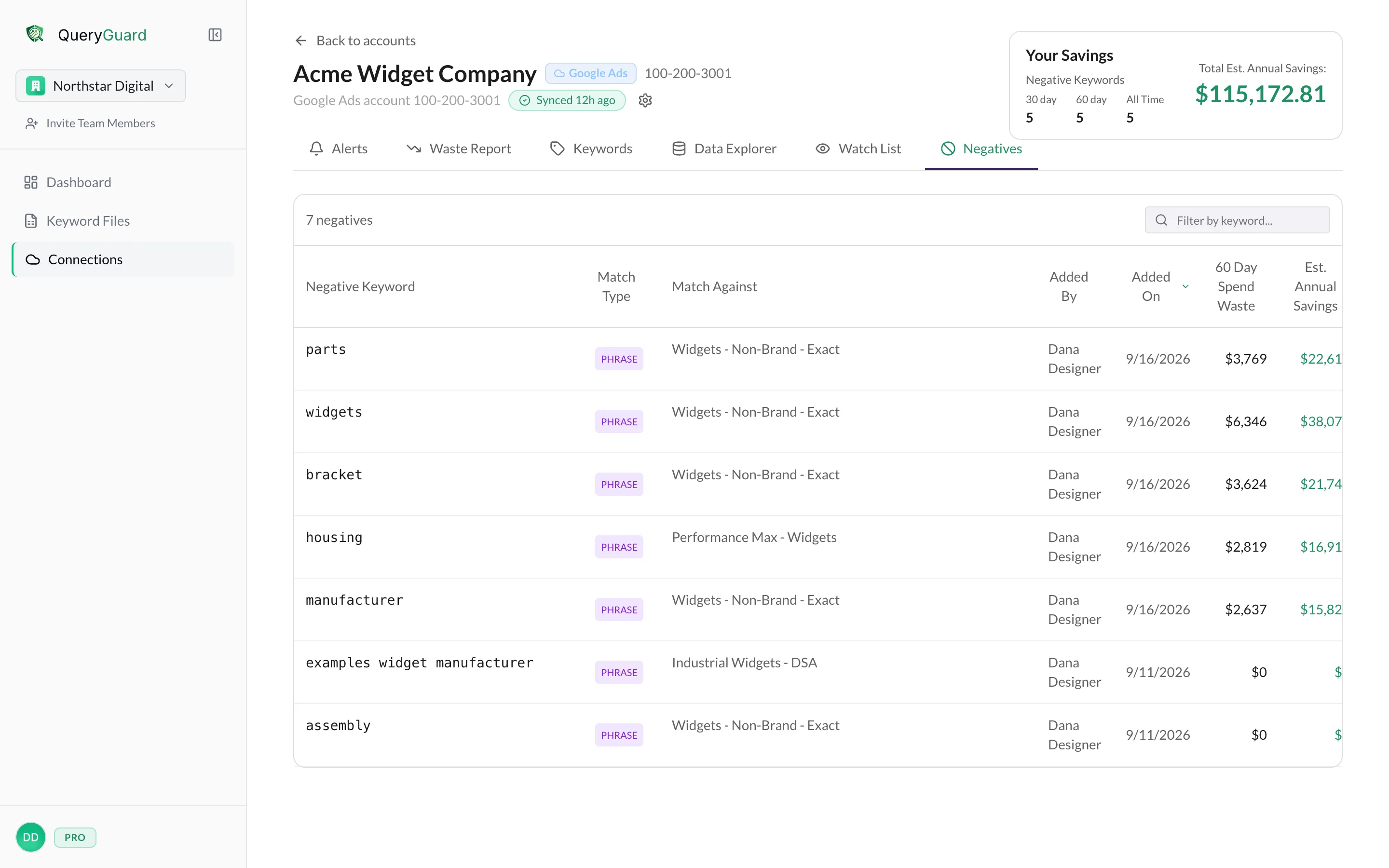
Flagged spend grouped by pattern, worst first.
Two ways in. One click out.
Bring the data however you have it. QueryGuard does the reading, you make the call.
- 1Connect an account, or upload a report.
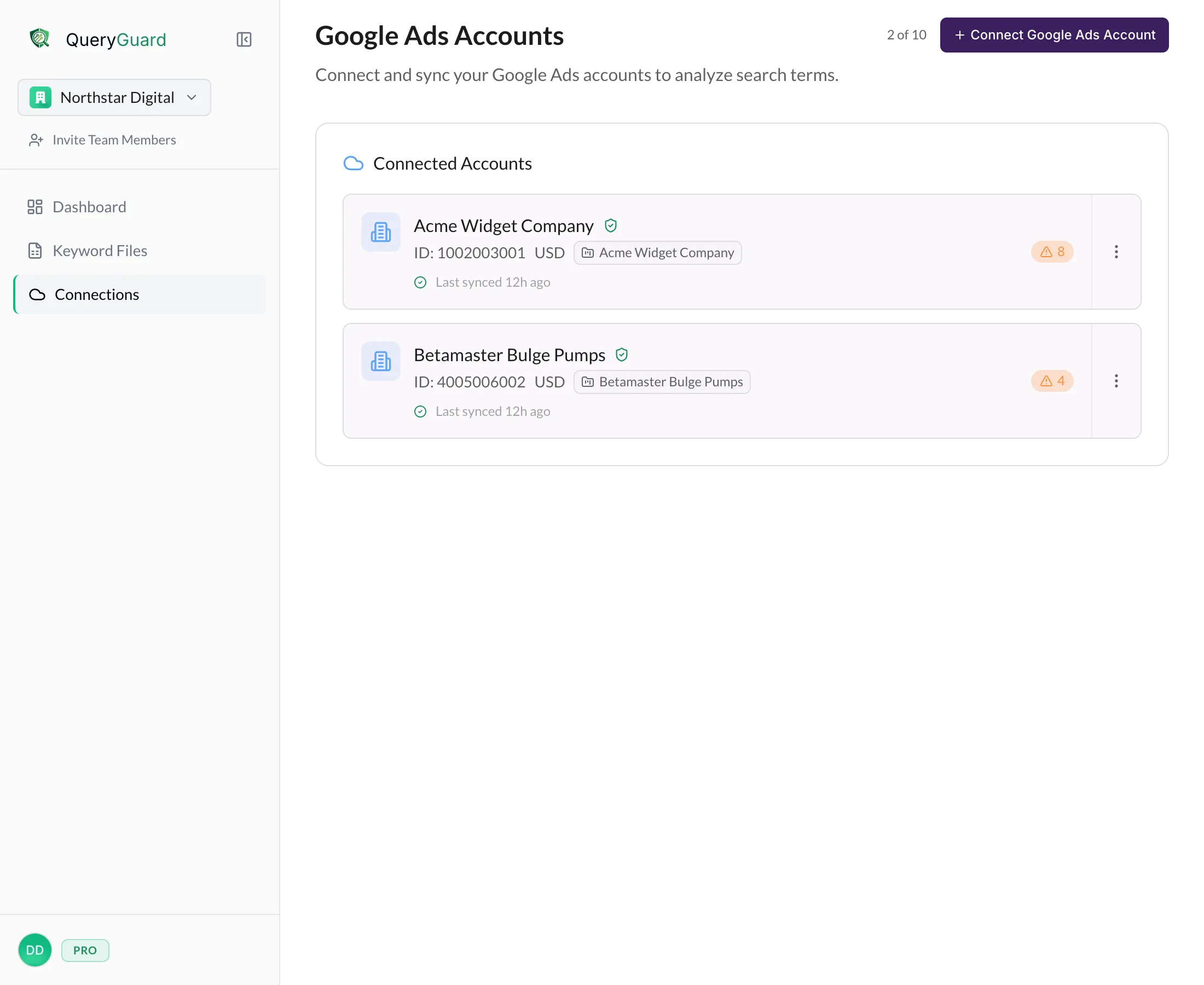
Sign in with Google to connect a Google Ads account. Manager (MCC) accounts are supported: connect the client accounts underneath one. Or export a search-terms report and upload the CSV. 100k+ rows is fine.
- 2Findings arrive sorted by impact.
Search terms that spend without converting are ranked by impact and confidence, so the worst offenders come first.
- 3Review, then exclude with one click.
Flagged terms become negative keywords, written straight back to Google Ads at the campaign level. You review before anything is applied.
- 4The nightly sync keeps watching.
Anomaly detection runs every night on every connected account. When spend spikes on non-converting terms, you get an email or Slack alert.
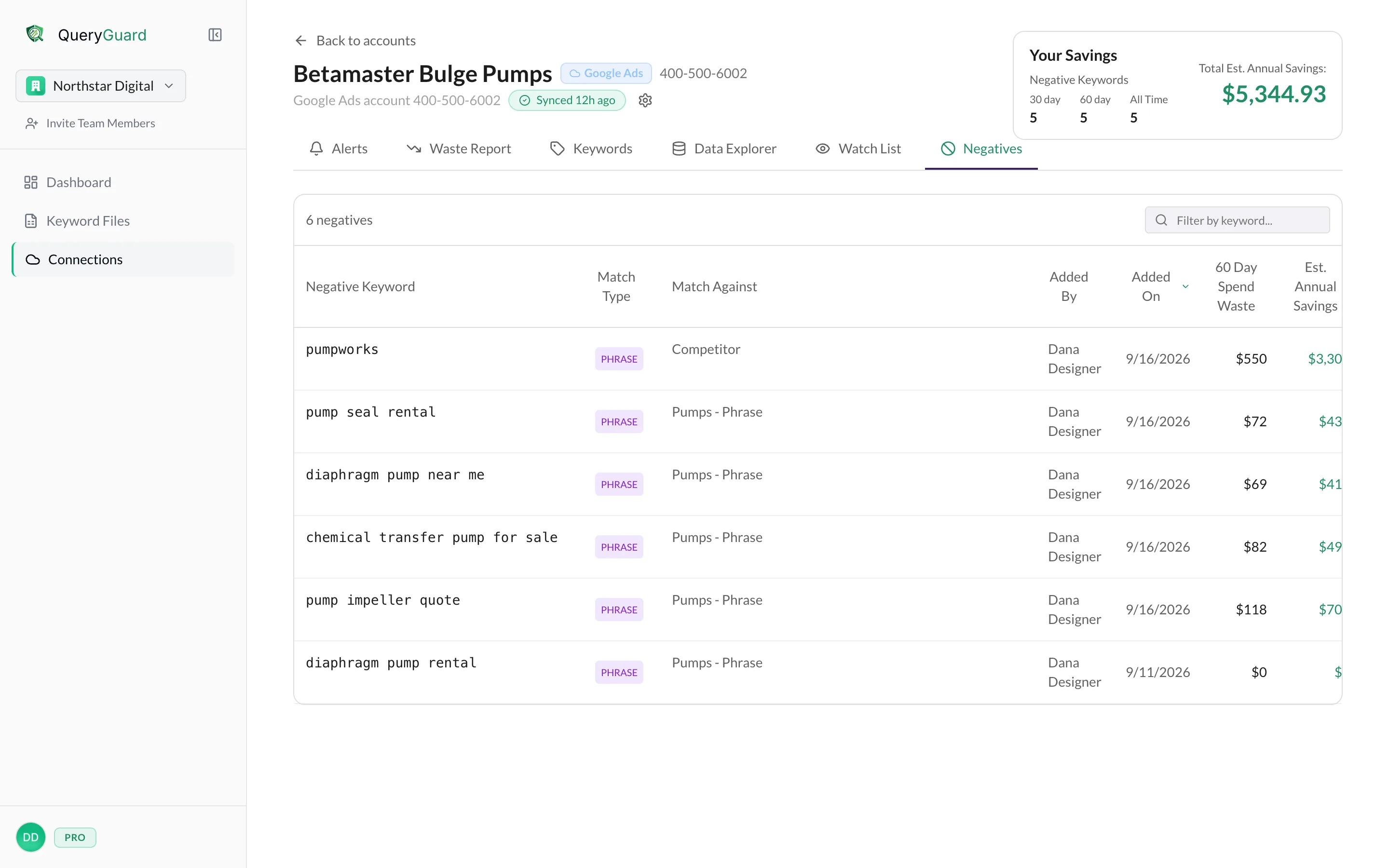
See the waste.
Then stop it, from the same screen.
Every screen on this page is the real product, running on an example account.
A handful of bad queries a day is real money a month.
Broad match, Performance Max, and theme targeting drive volume and leak budget. The platform is paid when you spend. Negatives are the lever you control.
Account managers juggling four to six accounts don’t have hours to read search-term reports. QueryGuard reads them and hands over the shortlist.
| Search term | Cost | Clicks | Conv. | Verdict |
|---|---|---|---|---|
| $412.80 | 61 | 0 | Wasteintent mismatch | |
| $388.15 | 57 | 0 | Wastejob seeker | |
| $301.40 | 49 | 0 | WasteDIY intent | |
| $276.00 | 22 | 0 | Wasteunrelated purchase | |
| “emergency plumber near me” | $1,904.22 | 143 | 19 | Keepconverting |
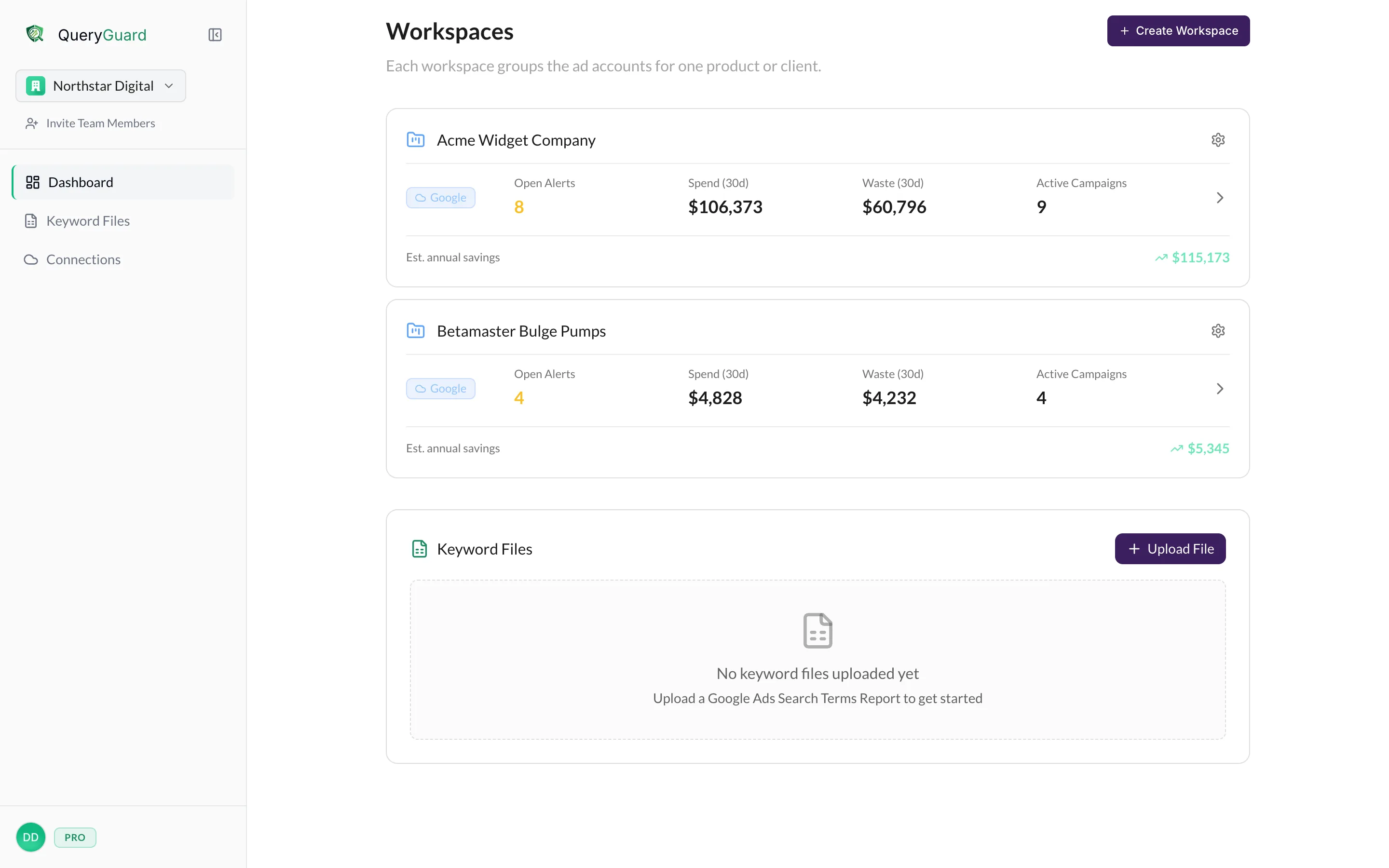
One workspace. Everyone sees the same findings.
- Work happens inside an organization workspace.Teammates see the same findings, alerts, and negatives.
- Agencies control who sees which client accounts.Give each team member the accounts they work on.
- Share findings and reports with clients.Show the waste you found and the negatives you added.
Priced per organization, not per seat.
- Free to start
- No credit card required to sign up. Upload a report and see what it finds.
- Teammates included
- One price for the organization. Collaboration is included, never upsold.
- Sized for how you work
- Plans for in-house teams and for agencies, which add connected accounts as they grow.